.png)
What is a customer project and how do I create a new one?
Updated
The purpose of this article is to show how to set up a new customer project. A customer project can be either a legal entity or a natural person.
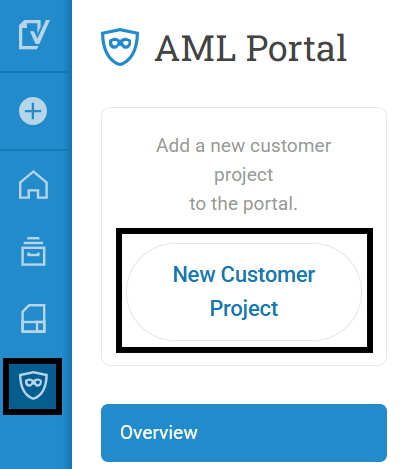
Log in to your AML portal and click on New Customer Project.
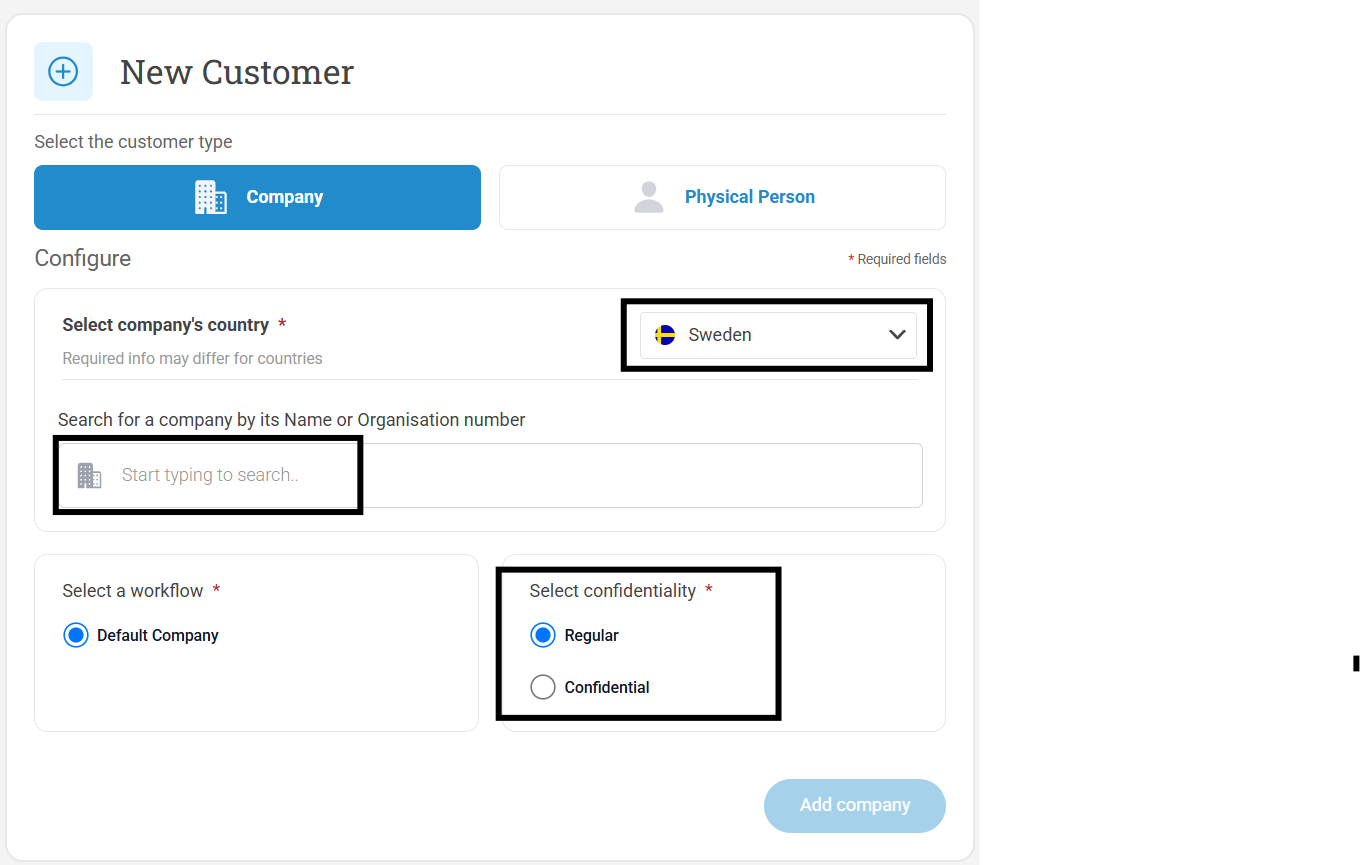
For juridical persons please follow this guide:
- Select the correct country
- Fill in the company's organisation number or name and select from the drop down list
- Here you can choose whether the customer project should be regular or confidential
- Click on Add company
Please note.
Verified retrieves company information for Sweden, Norway, Finland and Denmark. For customers outside these countries, you cannot search in the drop down list but you need to manually fill in the information.
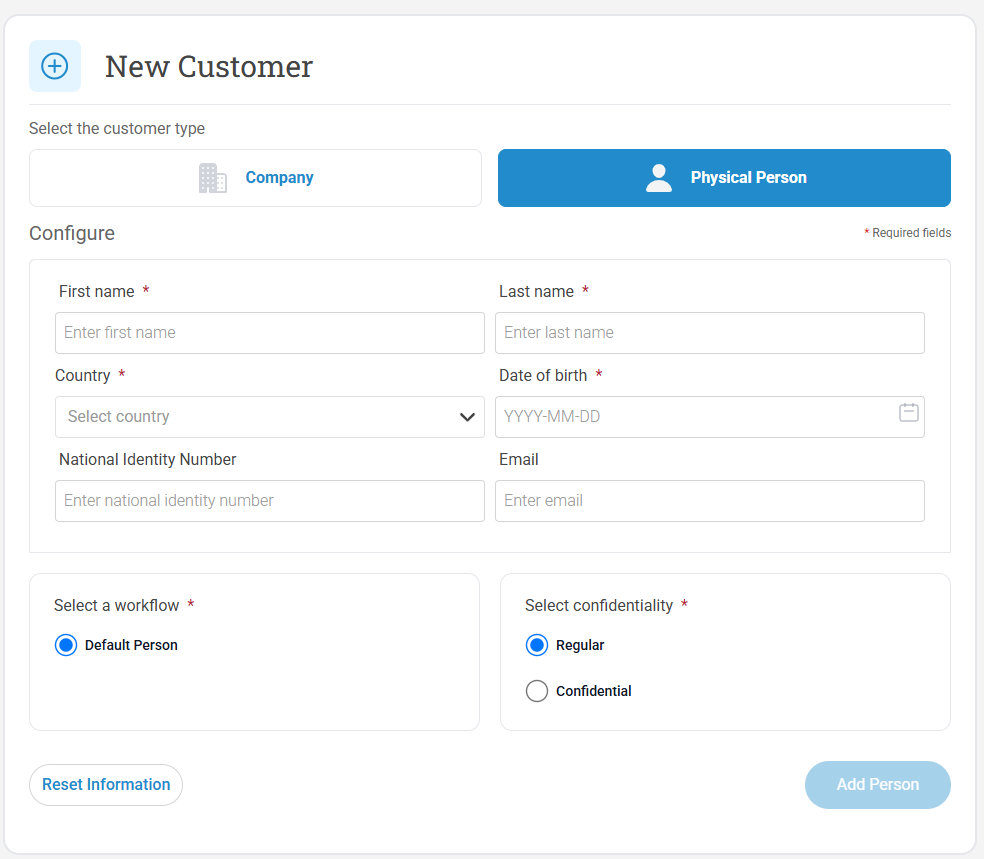
For physical persons please follow this guide:
- Fill in the requested information
- Here you can choose whether the customer project should be regular or confidential
- Click on Add person