.png)
How do I carry out the annual Company screening on an existing customer?
This instruction shows how to carry out your annual screening for an existing client.
Step 1:
Click on New report:
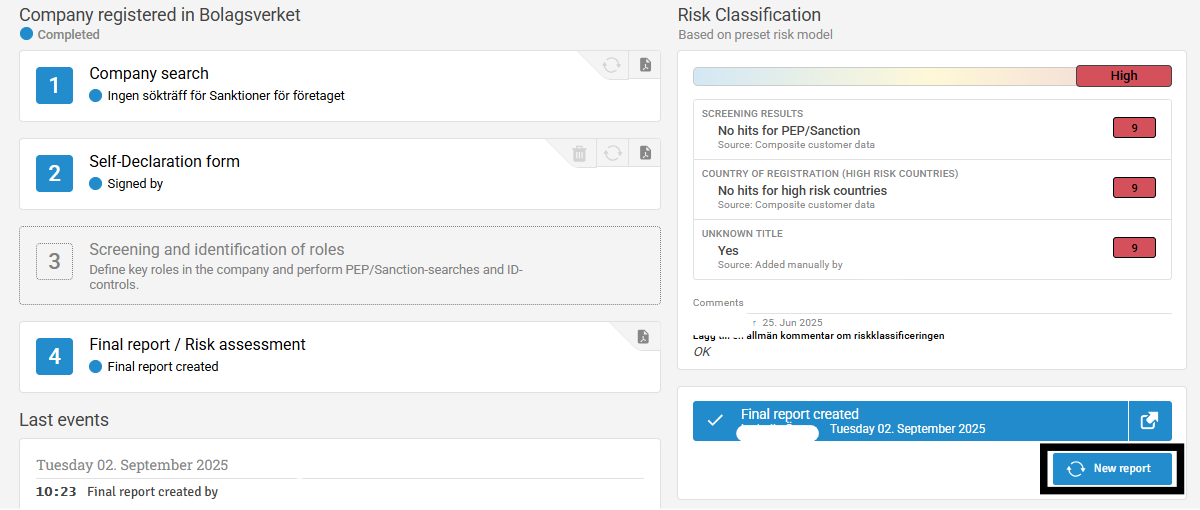
Step 2:
Everything that is filled in will be done again. In this case uncheck "Self declaration form" and then click on Archive customer.
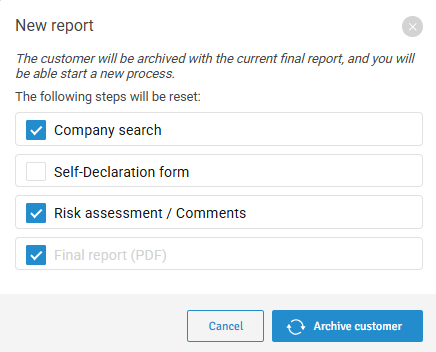
Step 3:
Start by doing a new company search. (Now any new sanctions lists or people who have changed since the last check will be found):
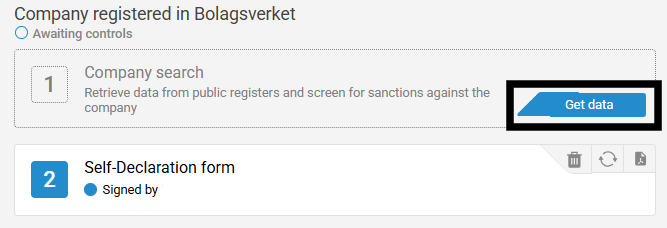
Step 4:
This button will open up a new KYC with pre-filled information based on last year's . All the information that was filled in last year will now be pre-filled. Ask the customer to review if anything has changed during the year and then sign again.

Step 5:
When the Company Search is completed, a new KYC is created and signed for a second time, and any new ID controls are made, a new Final Report can be created according to the year's conditions.