.png)
Flows and templates
Updated
Flows (or templates) are the processes through which an envelope with documents is created, and then sent for signing.
Flows vary from company to company (different companies have access to different flows) and can be used in the following ways:
- The default flow - this is the most basic way of creating an envelope, using Verified Platform's interface
- Templates - custom made web forms, hosted either inside the Verified Platform or outside it, where people can fill in the required data, generate a PDF based on that and then send that for signing
- API calls - API users can generate PDFs to be signed using their own solutions and the Verified API
The default flow
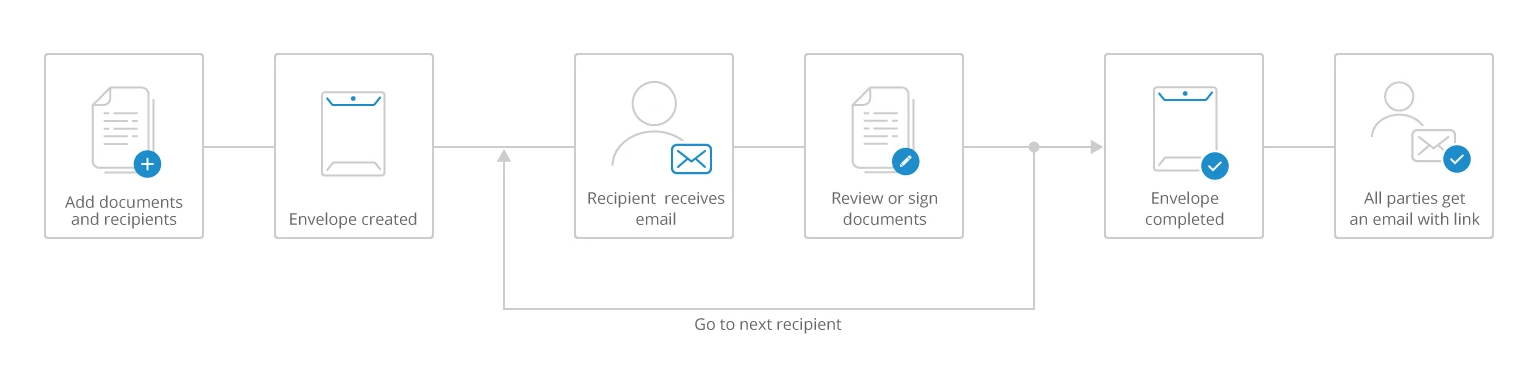
An overview of the default flow
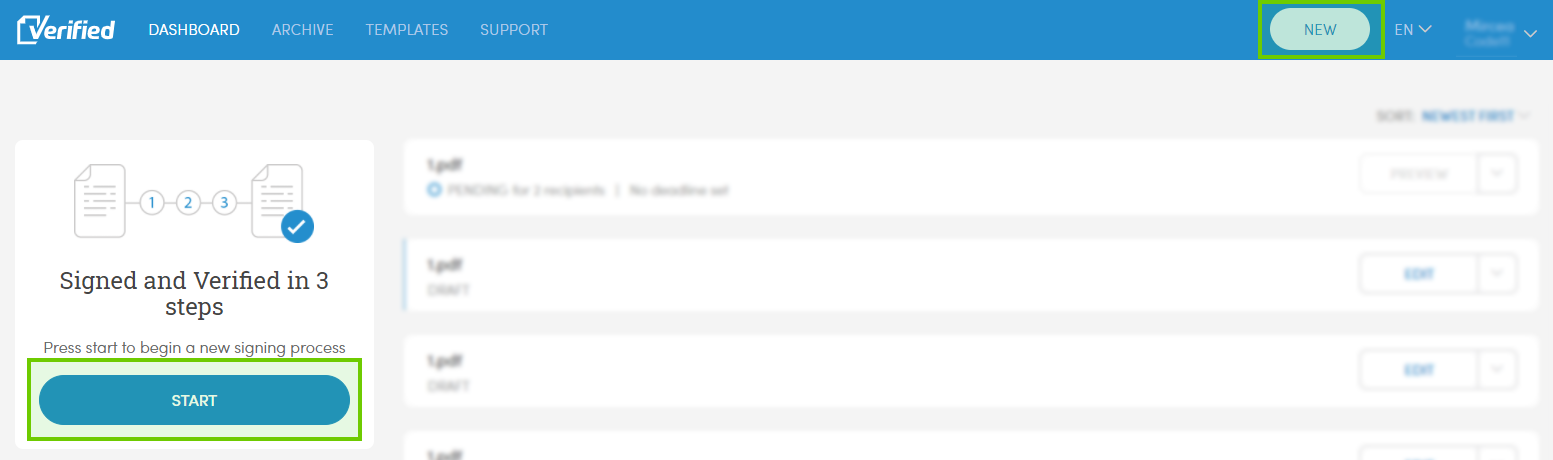
The simplest way to create an envelope is using the Default flow. To make use of it, log into the Verified app and press one of these buttons to start creating an envelope:
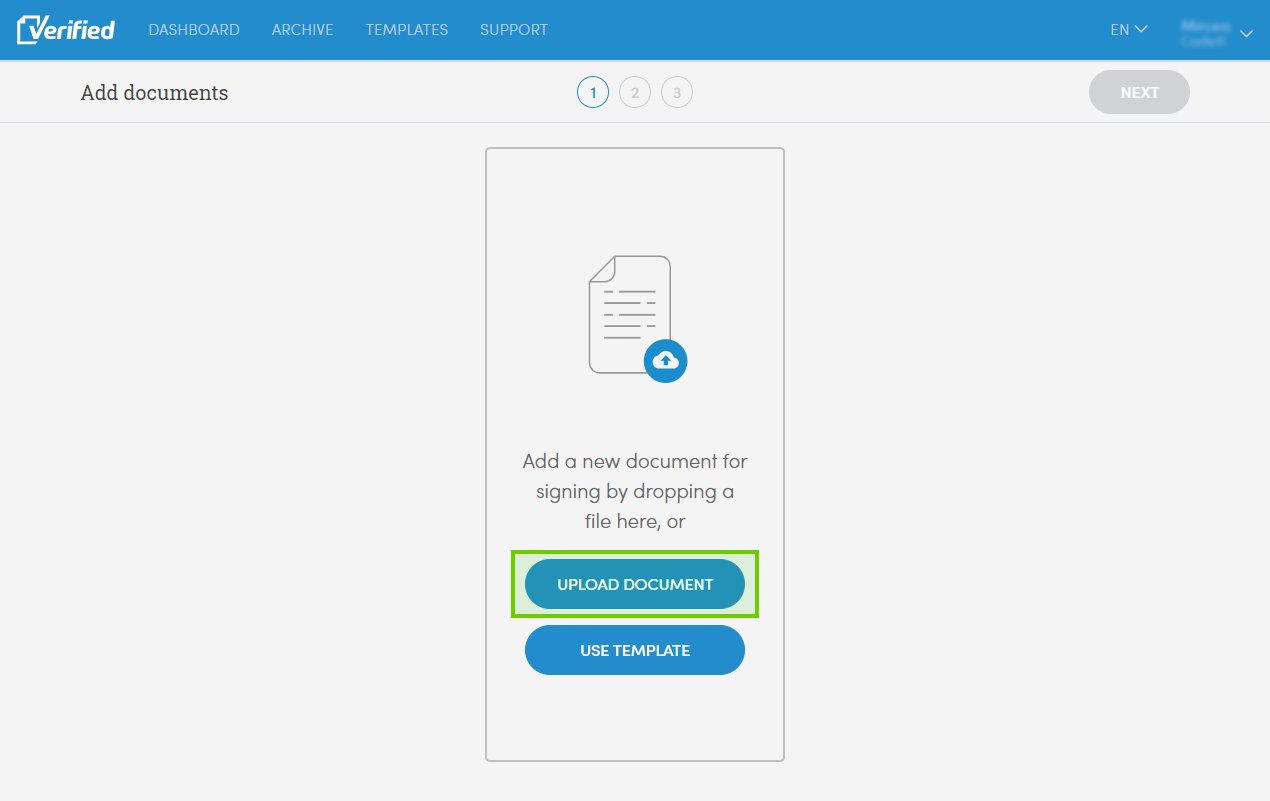
Next up upload a document to be signed and follow the rest of the flow.
Once you're done, the envelope will be sent for signing.